Sales departments need multiple functionality where cold call, customer mail, customer contact number, generative lead, follow up lead all these things are not easy to manage. Salesforce use in sales make sure to collect all the data in the same compound cloud where the salesforce sales cloud executive easily manages the leads and this thing reduces hard work about 60%.
Not only does salesforce reduce the work load but it actually increases the sales for business, But how it works and use these all things discussed below in a following post. So, we make sure your all doubts are clear after reading this post.
What is a Salesforce use in sales and Why is it important ?
Before discovering the salesforce use in sales and their importance for business sales we have known what salesforce stands for.
Known about Salesforce
Salesforce carries the term of cloud based software where most people know it as CRM ( Customer Relationship Management ) System.
Salesforce terms refer to the world’s most high value company name where the cloud software is made for multiple services such as service, marketing, commerce, revenue, health, etc.
Now continue the decision to use salesforce and their important factors.
Salesforce working Module and Important Featuring Factor
Salesforce working user experience is too simple where you just have to purchase a dedicated sales software cloud from the Salesforce Cloud Consulting as BM Cloud Consultant who provide the end to end client detailed online solution and make an on-demand customized salesforce cloud.
Then you just make sure the login credential,
Now you have multiple important feature who resolves your sales management factors issues, like –
- Lead Management
- Account Management
- Contact Management
- Opportunity Management
- Email Automation Workspace
- Security of Clients Data
These all features increase the productivity up to 70% from the last manual data management working. And salesforce use in sales also gets very easy after the AI Chat supports modern tech Element.
How Salesforce Works for Sales Increment?
By using a simple user friendly procedure Salesforce cloud increases your business sales much easier and faster.
They can’t automatically reach the new customer but with features like lead management where from the customer reach to last handing over they make every step easier which helps to increase more productive time for new reachouts. And below setup showed the work of salesforce use in sales.
Step by step salesforce use in sales all set up :-
- Set up a Salesforce organization, create profiles, roles and security permissions.
- Import existing customer records and change any standard objects, fields, page layouts and record kinds.
- Establish effective pricing books, products, lead management, opportunity phases and sales procedures.
- Workflows can be automated using task assignments, email notifications, workflows and Salesforce Flow.
- Make dashboards and reports, test features, instruct users, and successfully launch Sales Cloud.
Rather these things, mostly the last question comes to mind may be about benefits of cloud and also how much the cost of salesforce use in sales. So let’s find out.
Benefits and Cost of Salesforce use in Sales
Both Things benefits and cost are highly asked queries for every new customer and user of salesforce. That’s why we mentioned some highlighted points which helps to everyone understand more about the criteria and need of salesforce use in sales.
Countless Benefits via Salesforce cloud optimization of your business sales
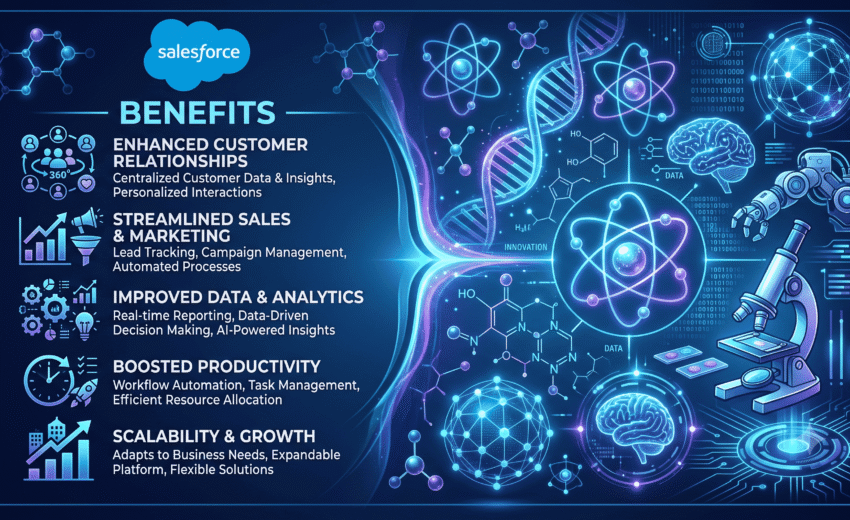
- Streamlines sales process and automates repetitive tasks to boost sales efficiency.
- Provides a 360-degree view of the customer with all customer data in one place.
- Optimizes lead conversion with the proper use of opportunity management and lead tracking.
- Leverages dashboards and reports to present real-time data, for better decision-making.
- Promotes collaboration by utilizing a unified communication system and customer information.
Simple Price and Cost for Salesforce Cloud for sales Criteria
- Subscription pricing, based on user license, monthly or annual.
- Setup, customisation and data migration implementation costs.
- training costs, to make administrators and users comfortable with the platform.
- Costs for creating and tailoring advanced features, integrations, or custom built applications.
- Continued costs of operation, upgrades, support, additional storage or accessories.