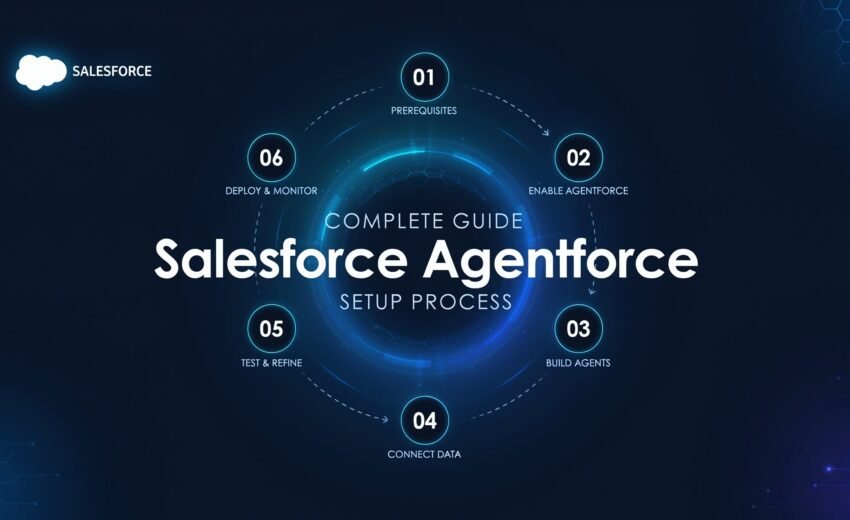
IntroductionIt may sound simple, but the process of setting up Salesforce Agentforce is actually quite easy, toggle it on, make an agent and publish. Most teams, however, do not consider the requirements, permissions and testing stages before the agent is ready for production. In order to help you plan both the construction and the budget, this tutorial takes you step-by-step through the entire Salesforce Agentforce setup process.
Salesforce Agentforce: What Is It?
Salesforce’s agentic AI technology, Agentforce, uses autonomous AI agents to automate operations related to sales, service, and support.
Without continual human intervention, these agents can do actual tasks within your CRM, like initiating cases, changing records, responding to client enquiries, and routing work.
Salesforce’s Atlas Reasoning Engine powers Agentforce, allowing AI agents to comprehend requests, reason through tasks, and take the proper action. Businesses can use programs like Agentforce Studio and Agent Builder to configure and manage these agents.
Some Requirement before Salesforce Agentforce Setup Process
- Licenses: Sales Cloud or Service Cloud licenses are needed for the Agentforce add-on.
- Sandbox Access: Prior to production deployment, set up and properly test Agentforce agents in a sandbox.
- Admin Permissions: The necessary Einstein and Agentforce permission sets or System Administrator access are needed.
- Defined Use Case: Prior to choosing templates and agent actions, determine customer-facing or employee-facing objectives.
- And Salesforce Data Cloud features may be necessary for advanced Agentforce use cases.
Now after check mark all the following boxes you now have the complete guide for the salesforce agentforce setup process as per your business niche.
Salesforce Agentforce Setup Process: Step-by-Step Guide
Step 1: Turn on Agentforce and Einstein
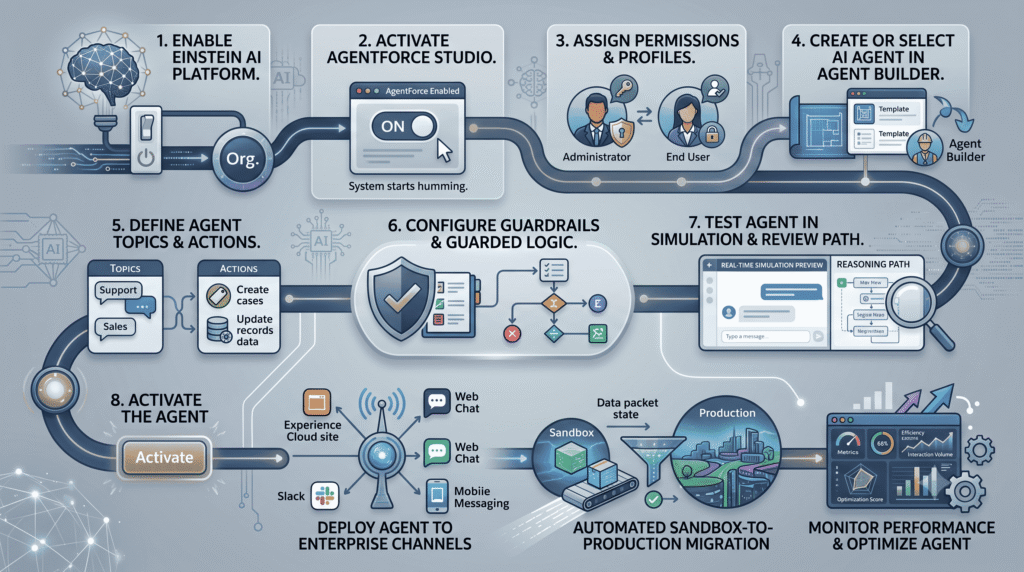
For the beginning of the salesforce agentforce setup process, Go to Agentforce Studio and activate Agentforce after activating Einstein Setup from Salesforce Setup.
Step 2: Set Up Permissions
Give administrators and end users the proper permissions, such as those needed for service-agent users, Agentforce, and Einstein.
Step 3: Set Up Your Agent
Launch Agent Builder, choose a pre-made template, or design a unique agent according to your needs.
Step 4: Specify Subjects and Steps
Set up topics and actions that specify the cases, records, Salesforce data, flows, and Apex logic that the agent manages.
Step 5: Include Guardrails and Instructions
Establish specific guidelines and restrictions governing the use of actions by agents to guarantee reliable, secure, and consistent replies.
Step 6: Examine the Agent
To test prompts, examine logic, verify actions, and spot unexpected answers, use Conversation Preview in Sandbox.
Step 7: Turn on and Post
After the tested agent has been activated, publish it across all of the channels that are supported, including Experience Cloud, web chat, Slack, and messaging.
Step 8: Implement, Track, and Enhance
Transfer the configuration to production, keep an eye on usage and performance, and continuously improve topics, actions, answers, and expenses.
But may be during following these steps you get some issue or may you make a common setup mistake which creates trouble in present or future. So for that there is some major common setup issue and there troubleshooting.
One of Most Common Setup Issues and Their Troubleshooting
- Agentforce Agents menu Disappear: After turning on Einstein, give the browser a few minutes and refresh it; the menu may not show up right away.
- Unable to modify actions or topics: First, the agent needs to be deactivated. After making adjustments, click Deactivate and then Activate once more.
- Unintentionally deleted a default topic: To restore it, you’ll need to reload the industry package if it was a part of it.
- Experience Site does not display the agent: Verify that the website has been republished after the agent has been activated; this is a step that many people overlook.
Final Thoughts
In conclusion , it’s not just enough to set up Salesforce and publish an agent, it’s necessary to ensure it’s a successful one. By following the right setup process, permissions, testing, guardrails, and deployment practices, businesses can build reliable AI agents.